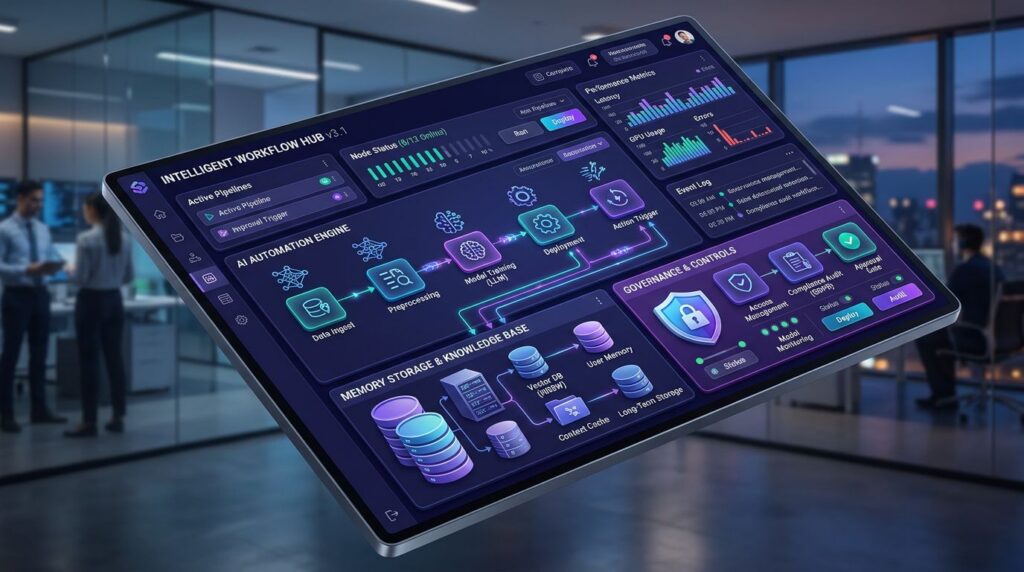
# n8n 2026: Workflows with AI Agents, Memory, and Lightweight Governance
Automations with n8n have evolved significantly in 2026, especially in AI agent integration, persistent memory management, and governance controls. This tutorial will guide you through the practical configuration of operable workflows that go beyond proof-of-concept implementations.
Implementing AI agents in n8n requires a solid architecture that handles response variability, context persistence, and scalability. We’ll configure an environment that combines these elements efficiently.
## Base Configuration for AI Agents in n8n
### Self-hosted Environment Setup
To leverage n8n’s new AI agent capabilities, you need a self-hosted installation with queue mode enabled. This configuration is fundamental for handling concurrency and retries.
“`yaml
# docker-compose.yml
version: ‘3.8’
services:
n8n:
image: n8nio/n8n:latest
environment:
– EXECUTIONS_MODE=queue
– QUEUE_BULL_REDIS_HOST=redis
– DB_TYPE=postgresdb
– DB_POSTGRESDB_HOST=postgres
– N8N_BASIC_AUTH_ACTIVE=true
volumes:
– n8n_data:/home/node/.n8n
depends_on:
– postgres
– redis
redis:
image: redis:7-alpine
volumes:
– redis_data:/data
postgres:
image: postgres:15
environment:
– POSTGRES_DB=n8n
– POSTGRES_USER=n8n
– POSTGRES_PASSWORD=secure_password
volumes:
– postgres_data:/var/lib/postgresql/data
“`
### Advanced Queue Mode Configuration
Queue mode in n8n 2026 includes significant improvements for handling AI agents. Configure workers and queue management:
“`bash
# Additional environment variables
QUEUE_BULL_REDIS_DB=0
EXECUTIONS_DATA_SAVE_ON_ERROR=all
EXECUTIONS_DATA_SAVE_ON_SUCCESS=all
EXECUTIONS_DATA_MAX_AGE=168 # 7 days
QUEUE_HEALTH_CHECK_ACTIVE=true
“`
## Persistent Memory Implementation
### Memory Node with PostgreSQL
Persistent memory is crucial for AI agents that need to maintain context between interactions. Implement a memory system using PostgreSQL:
“`sql
— Agent memory table
CREATE TABLE agent_memory (
id SERIAL PRIMARY KEY,
agent_id VARCHAR(255) NOT NULL,
session_id VARCHAR(255) NOT NULL,
memory_key VARCHAR(255) NOT NULL,
memory_value JSONB NOT NULL,
created_at TIMESTAMP DEFAULT CURRENT_TIMESTAMP,
updated_at TIMESTAMP DEFAULT CURRENT_TIMESTAMP
);
CREATE INDEX idx_agent_session ON agent_memory(agent_id, session_id);
CREATE INDEX idx_memory_key ON agent_memory(memory_key);
“`
### Memory Read and Write Workflow
Configure nodes to manage agent memory:
1. **PostgreSQL Node – Memory Read:**
“`sql
SELECT memory_value
FROM agent_memory
WHERE agent_id = ‘{{ $json.agent_id }}’
AND session_id = ‘{{ $json.session_id }}’
AND memory_key = ‘conversation_history’
ORDER BY updated_at DESC
LIMIT 1;
“`
2. **Set Node – Context Preparation:**
“`javascript
// Combine existing memory with new information
const existingMemory = $input.first()?.json?.memory_value || [];
const newMessage = {
role: ‘user’,
content: $json.user_input,
timestamp: new Date().toISOString()
};
return {
context: […existingMemory, newMessage],
agent_id: $json.agent_id,
session_id: $json.session_id
};
“`
## AI Agent Configuration with Retries
### OpenAI Node with Error Handling
AI agents require robust error handling and retries. Configure the OpenAI node with these specifications:
“`json
{
“model”: “gpt-4”,
“messages”: “{{ $json.context }}”,
“temperature”: 0.7,
“max_tokens”: 1000,
“timeout”: 30000
}
“`
### Intelligent Retry Implementation
Use the **Error Trigger** node combined with **Wait** for exponential backoff:
“`javascript
// Function Node – Exponential delay calculation
const attempt = $input.first()?.json?.attempt || 1;
const baseDelay = 1000; // 1 second
const maxDelay = 30000; // 30 seconds
const delay = Math.min(baseDelay * Math.pow(2, attempt – 1), maxDelay);
return {
delay: delay,
attempt: attempt + 1,
maxAttempts: 3
};
“`
## Lightweight Governance with RBAC
### Basic Role Configuration
Implement a minimal but effective RBAC system. In n8n 2026, configure roles through environment variables:
“`bash
# Basic RBAC configuration
N8N_USER_MANAGEMENT_DISABLED=false
N8N_RBAC_ENABLED=true
N8N_DEFAULT_USER_ROLE=member
“`
### Per-Workflow Permission Structure
Organize workflows by teams and apply granular permissions:
– **Developers:** Full access to development workflows
– **Operations:** Execution and monitoring of production workflows
– **Analysts:** Read-only and execution access to reporting workflows
### Audit Log Implementation
Configure logging for compliance and debugging:
“`javascript
// Function Node – Audit Log
const auditEntry = {
workflow_id: $workflow.id,
execution_id: $execution.id,
user_id: $user.id,
action: ‘ai_agent_execution’,
timestamp: new Date().toISOString(),
input_hash: require(‘crypto’).createHash(‘sha256’)
.update(JSON.stringify($json.user_input))
.digest(‘hex’),
success: $json.success || false
};
return auditEntry;
“`
## Monitoring and Optimization
### Key Metrics for AI Agents
Implement specific monitoring for AI workflows:
– **Average response time** of AI agents
– **Success rate** in executions
– **Memory usage** per session
– **API costs** per AI model
### Automated Alerts
Configure alerts using webhooks:
“`javascript
// HTTP Request Node – Slack/Teams Alert
const alertData = {
text: `🚨 AI Agent Error: ${$json.error_message}`,
workflow: $workflow.name,
execution_id: $execution.id,
timestamp: new Date().toISOString()
};
return {
json: alertData,
headers: {
‘Content-Type’: ‘application/json’
}
};
“`
## Advanced Use Cases
### Agent with Long-term Memory
Implement an agent that maintains context for weeks:
1. **Memory compression:** Use AI to summarize long conversations
2. **Semantic indexes:** Implement vector search to retrieve relevant context
3. **Automatic cleanup:** Remove obsolete memory based on business rules
### Multi-agent Workflows
Create workflows where multiple AI agents collaborate:
– **Coordinator agent:** Distributes tasks among specialized agents
– **Specialized agents:** Each handles a specific domain
– **Validator agent:** Reviews and consolidates results
[[INTERNAL:automatizacion-n8n]] can complement this configuration with additional automation patterns.
## Security Best Practices
### Input Sanitization
Always validate and clean inputs before sending them to AI agents:
“`javascript
// Function Node – Sanitization
const sanitizeInput = (input) => {
return input
.replace(/
.replace(/javascript:/gi, ”)
.trim()
.substring(0, 4000); // Character limit
};
return {
sanitized_input: sanitizeInput($json.user_input),
original_length: $json.user_input.length
};
“`
### API Key Management
Use n8n’s credential system to handle API keys securely. Never hardcode credentials in workflows.
[[INTERNAL:seguridad-apis]] provides additional guides on API protection.
## Scalability and Performance
### Worker Optimization
Configure multiple workers to handle load:
“`bash
# Configuration for high concurrency
EXECUTIONS_PROCESS=main
N8N_CONCURRENCY_PRODUCTION=10
QUEUE_BULL_REDIS_TIMEOUT_THRESHOLD=300000
“`
### Intelligent Caching
Implement caching for similar AI responses:
“`javascript
// Function Node – Response caching
const inputHash = require(‘crypto’)
.createHash(‘md5’)
.update($json.user_input)
.digest(‘hex’);
return {
cache_key: `ai_response_${inputHash}`,
ttl: 3600 // 1 hour
};
“`
[[INTERNAL:optimizacion-rendimiento]] offers additional optimization strategies.
## Common Troubleshooting
### Memory Issues
If you experience memory problems:
1. **Check the size** of stored sessions
2. **Implement automatic cleanup** of old memory
3. **Use compression** for large context data
### Timeout Errors
To handle AI agent timeouts:
1. **Increase timeouts** in HTTP nodes
2. **Implement fallbacks** with faster models
3. **Use streaming** when available
[[INTERNAL:debugging-n8n]] provides additional debugging techniques.
## Conclusion
Implementing AI agents in n8n 2026 requires a well-planned architecture that combines persistent memory, intelligent retries, and appropriate governance. Improvements in queue mode and RBAC make it possible to create robust and scalable workflows.
The key to success is starting with simple configurations and scaling gradually. Implement monitoring from the beginning and maintain a balance between functionality and complexity.
Need help implementing these workflows in your organization? [Contact our team](/contact/) for specialized consulting on n8n automation and AI agents, or check our [implementation services](/services/) to accelerate your project.