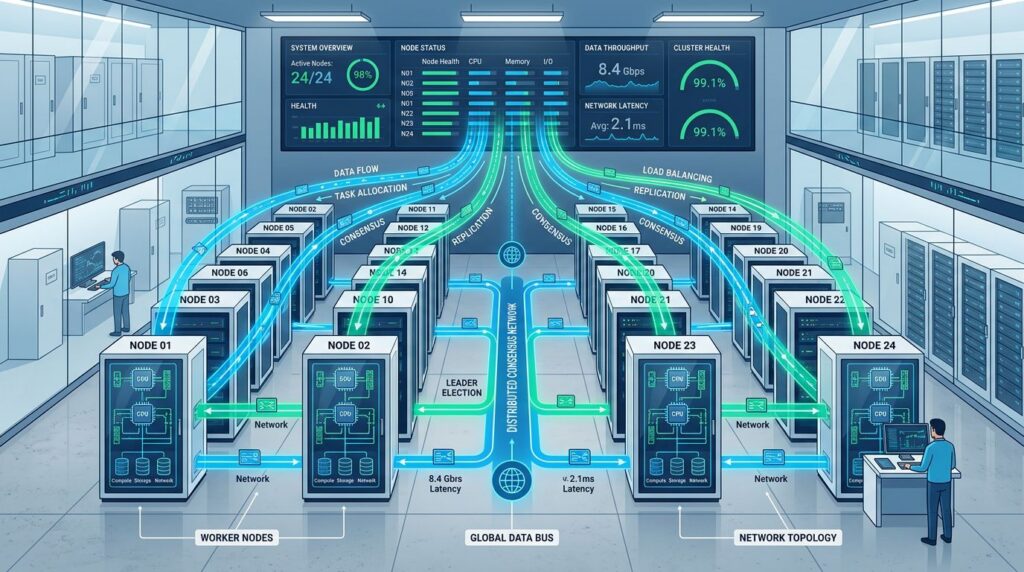
The evolution of n8n towards 2026 marks a turning point in enterprise automation. The new queue mode capabilities, granular RBAC permission control and distributed architecture transform how we design and deploy complex workflows. This technical guide will show you step by step how to implement these advanced functionalities to create robust and scalable automations.
## Distributed Architecture with Queue Mode
### Initial Queue System Configuration
n8n 2026’s queue mode separates workflow execution into independent workers, significantly improving stability and scalability. The base configuration requires Redis as a message broker and PostgreSQL for persistence.
“`bash
# Installing dependencies
docker-compose up -d redis postgres
# Environment variables for queue mode
export N8N_EXECUTIONS_MODE=queue
export QUEUE_BULL_REDIS_HOST=localhost
export QUEUE_BULL_REDIS_PORT=6379
export DB_TYPE=postgresdb
export DB_POSTGRESDB_HOST=localhost
“`
### Worker Separation by Task Type
The new architecture allows dedicating specific workers for different types of operations:
“`yaml
# docker-compose.yml for specialized workers
version: ‘3.8’
services:
n8n-main:
image: n8nio/n8n:latest
environment:
– N8N_EXECUTIONS_MODE=queue
– EXECUTIONS_PROCESS=main
ports:
– “5678:5678”
n8n-worker-api:
image: n8nio/n8n:latest
environment:
– N8N_EXECUTIONS_MODE=queue
– EXECUTIONS_PROCESS=worker
– QUEUE_WORKER_TIMEOUT=120000
deploy:
replicas: 3
n8n-worker-heavy:
image: n8nio/n8n:latest
environment:
– N8N_EXECUTIONS_MODE=queue
– EXECUTIONS_PROCESS=worker
– QUEUE_WORKER_TIMEOUT=600000
deploy:
replicas: 2
“`
### Advanced Queue Configuration
Intelligent queue management allows prioritizing critical workflows and optimizing resources:
“`javascript
// Priority configuration in workflow
{
“settings”: {
“executionOrder”: “v1”,
“saveManualExecutions”: true,
“callerPolicy”: “workflowsFromSameOwner”,
“queuePriority”: “high”, // New 2026 property
“maxConcurrentExecutions”: 5
}
}
“`
## Granular RBAC System
### Role and Permission Definition
The new RBAC system allows granular control over resources and operations. Configuration is done through the administrative interface or API:
“`json
{
“roles”: {
“workflow_developer”: {
“permissions”: [
“workflow:create”,
“workflow:read”,
“workflow:update”,
“credential:read”
],
“resources”: {
“workflows”: [“team:marketing”, “project:automation”],
“credentials”: [“type:api”, “scope:development”]
}
},
“workflow_operator”: {
“permissions”: [
“workflow:read”,
“workflow:execute”,
“execution:read”
],
“resources”: {
“workflows”: [“status:active”, “tag:production”]
}
}
}
}
“`
### Team-Based Access Policies
Team segmentation facilitates management in large organizations:
“`bash
# CLI for team management
n8n teams create –name “Marketing Automation” \
–description “Digital marketing workflows”
n8n teams add-member –team-id marketing-auto \
–user-email user@company.com \
–role workflow_developer
n8n teams assign-workflow –team-id marketing-auto \
–workflow-id lead-nurturing \
–permissions read,execute
“`
### Sensitive Credential Control
Credential management includes advanced encryption and complete auditing:
“`javascript
// Credential configuration with RBAC
{
“name”: “API_Production_CRM”,
“type”: “httpHeaderAuth”,
“data”: {
“name”: “Authorization”,
“value”: “Bearer {{encrypted_token}}”
},
“rbac”: {
“owner”: “team:sales”,
“permissions”: {
“read”: [“role:workflow_developer”, “role:admin”],
“use”: [“role:workflow_operator”, “role:workflow_developer”]
},
“audit”: true,
“rotation”: {
“enabled”: true,
“interval”: “30d”
}
}
}
“`
## Health Checks and Monitoring
### Native Health Check Implementation
Integrated health checks automatically monitor critical components:
“`yaml
# Health check configuration
healthChecks:
enabled: true
interval: 30s
timeout: 10s
endpoints:
– name: “database”
type: “postgres”
critical: true
– name: “redis_queue”
type: “redis”
critical: true
– name: “worker_pool”
type: “internal”
critical: false
alerts:
webhook: “https://monitoring.company.com/alerts”
email: [“devops@company.com”]
thresholds:
warning: 2
critical: 5
“`
### Advanced Performance Metrics
New telemetry provides detailed performance insights:
“`javascript
// Custom metrics endpoint
app.get(‘/metrics/workflows’, async (req, res) => {
const metrics = await n8n.getMetrics({
timeRange: ’24h’,
groupBy: [‘workflow’, ‘node_type’],
include: [
‘execution_time’,
‘success_rate’,
‘error_count’,
‘queue_wait_time’,
‘resource_usage’
]
});
res.json({
timestamp: new Date().toISOString(),
metrics: metrics,
health_score: calculateHealthScore(metrics)
});
});
“`
### Proactive Alerts and Automatic Recovery
The system includes auto-recovery mechanisms for common failures:
“`yaml
# Auto-recovery configuration
autoRecovery:
enabled: true
strategies:
– trigger: “worker_timeout”
action: “restart_worker”
max_attempts: 3
– trigger: “queue_overflow”
action: “scale_workers”
scale_factor: 2
– trigger: “memory_leak”
action: “rolling_restart”
batch_size: 1
notifications:
slack: “#devops-alerts”
pagerduty: “integration_key”
“`
## Complex Workflows and Optimization
### Design Patterns for Robust Workflows
Complex workflows require specific patterns to maintain stability:
“`javascript
// Circuit Breaker pattern for external APIs
{
“nodes”: [
{
“name”: “API_Call_With_Breaker”,
“type”: “n8n-nodes-base.httpRequest”,
“parameters”: {
“url”: “https://external-api.com/data”,
“options”: {
“timeout”: 30000,
“retry”: {
“enabled”: true,
“maxAttempts”: 3,
“backoff”: “exponential”
},
“circuitBreaker”: {
“enabled”: true,
“threshold”: 5,
“timeout”: 60000
}
}
}
}
]
}
“`
### Error Handling and Smart Retries
New retry logic adapts strategies based on error type:
“`javascript
// Retry policy configuration
{
“errorHandling”: {
“retryPolicy”: {
“maxAttempts”: 5,
“strategies”: [
{
“errorType”: “network”,
“backoff”: “exponential”,
“baseDelay”: 1000,
“maxDelay”: 30000
},
{
“errorType”: “rate_limit”,
“backoff”: “fixed”,
“delay”: 60000
},
{
“errorType”: “server_error”,
“backoff”: “linear”,
“increment”: 2000
}
]
},
“fallback”: {
“enabled”: true,
“action”: “queue_for_manual_review”
}
}
}
“`
## Migration and Best Practices
### Gradual Migration Strategy
Migration to the new architecture should be done incrementally:
“`bash
# Export existing configuration
n8n export:all –output ./backup/
n8n export:credentials –encrypt –output ./backup/credentials/
# Validate workflows before migration
n8n validate:workflows –path ./backup/workflows/
n8n test:connections –credentials ./backup/credentials/
# Migration by phases
n8n migrate:phase1 –workflows “tag:low_priority”
n8n migrate:phase2 –workflows “tag:medium_priority” –parallel
n8n migrate:phase3 –workflows “tag:critical” –manual-approval
“`
### Resource and Performance Optimization
Optimal configuration depends on workflow volume and type:
“`yaml
# Recommended production configuration
production:
workers:
min: 3
max: 10
scaleMetric: “queue_length”
scaleThreshold: 50
resources:
memory: “4Gi”
cpu: “2000m”
storage: “100Gi”
database:
pool_size: 20
connection_timeout: 30s
query_timeout: 60s
redis:
max_memory: “2Gi”
eviction_policy: “allkeys-lru”
persistence: true
“`
Implementing these advanced n8n functionalities requires careful planning and thorough testing. [[INTERNAL:microservices-architecture]] and [[INTERNAL:devops-monitoring]] perfectly complement this configuration to create a robust automation ecosystem.
## Conclusion
n8n’s improvements in 2026 represent a qualitative leap towards mature enterprise automation. The combination of stable queue mode, granular RBAC and integrated health checks enables creating complex workflows with the reliability that production environments demand.
The distributed architecture not only improves performance but also facilitates horizontal scaling and failure management. The RBAC system provides the access control necessary for large organizations, while automated health checks significantly reduce incident response time.
Need help implementing these advanced n8n functionalities in your organization? Our specialized team can guide you through migration and optimization of your workflows. [Contact us](/contact/) for personalized consulting on enterprise automation with n8n.